
Website planning
What should a small-business website include?
A small-business website needs a clear explanation of what you do, useful service information, credible evidence, accurate business details and a working way to enquire. Those essentials need to be usable on phones and with assistive technology.
The right structure depends on the business. A plumber, an architect and a coffee shop need different information and different ways to make contact. Use the examples and checklist below to identify what your customers need before deciding how many pages to commission.
An introduction that explains what you do
Someone arriving from a search result may know nothing about you. The opening should explain your service, who it is for and, where relevant, where you work. Use the words your customers use when asking for help.
Compare “Solutions for modern living” with “Plumbing repairs and bathroom installations in [your genuine service area]”. The second gives a visitor something concrete to recognise. Replace the bracketed phrase with an accurate location; leave it out if geography does not define the service.
Your personality can still come through in the photography, type and tone. The first screen should give the person enough information to keep reading.
Try this: show the page to someone unfamiliar with your business. Ask them what you offer and who it is for. Listen to their answer before explaining anything.
Service information that helps someone choose
A list of service names is a start. A useful service description explains what the work covers, who might need it, any important exclusions and what happens after an enquiry. You can explain how you quote even when the price depends on the job.
For example, “Bathroom plumbing” could mean fixing a leaking fitting, replacing a toilet or plumbing an entire renovation. Those are different requests. Clarifying the scope saves the visitor from guessing.
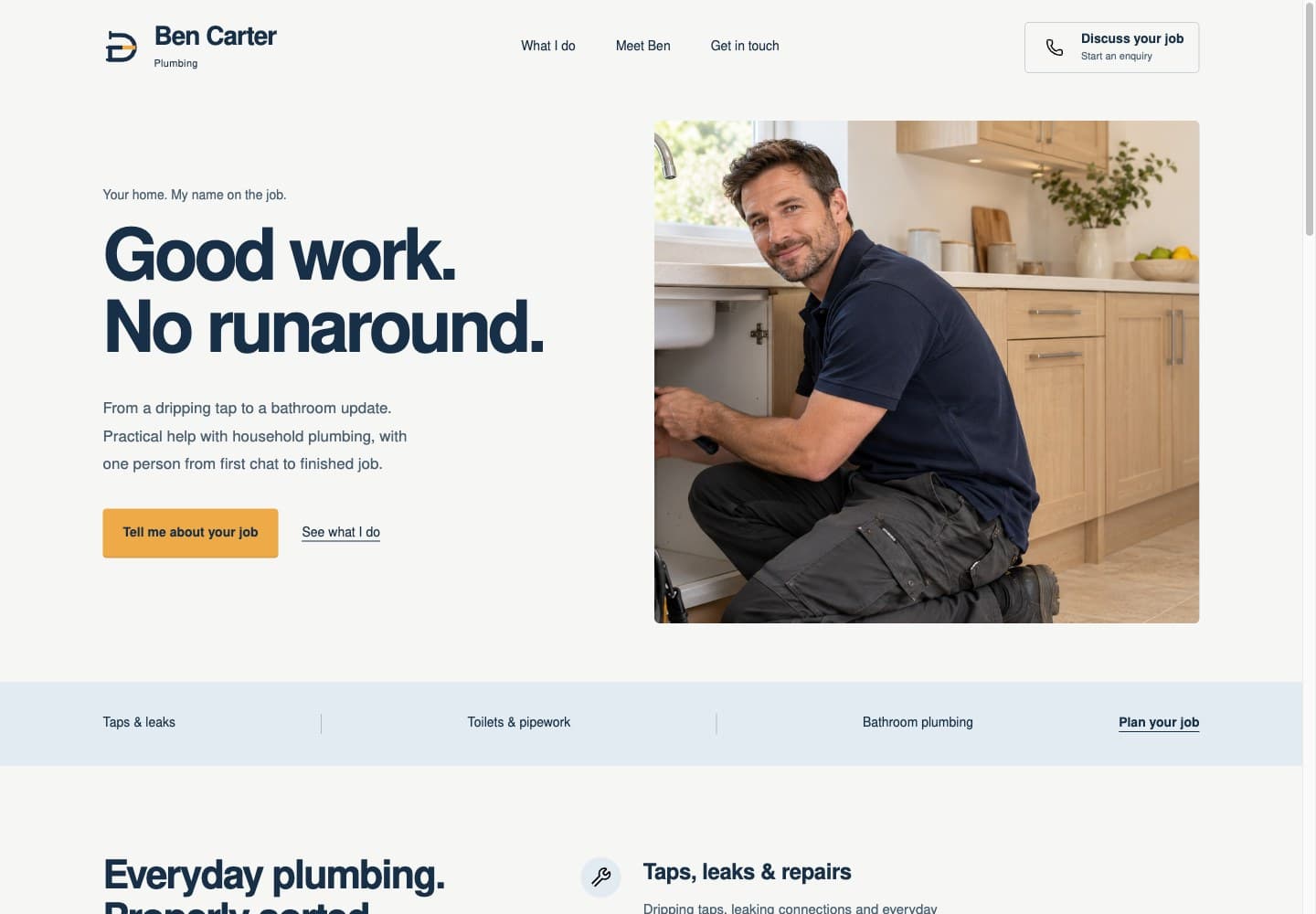
In the Ben Carter Plumbing concept, services are grouped into taps and leaks, toilets and pipework, and bathroom fittings. Selecting a service carries that choice into the demonstration enquiry planner. It is a fictional business project, with generated imagery and no real enquiry submission. The useful design decision is that someone can begin with the problem they recognise.
Separate service pages are worthwhile when each service needs a different explanation. For a small, closely related offer, one well-organised page can be enough.
Evidence that matches your stage of business
Completed work, genuine reviews, relevant qualifications and a clear introduction to the person doing the work can help someone assess your business. Use evidence you can stand behind, with permission where needed.
If you are new, you can show independent projects, prototypes or demonstrations. Label them accurately. Explain your role, the choices you made and what the example demonstrates. A concept can show your approach without becoming a customer success story.
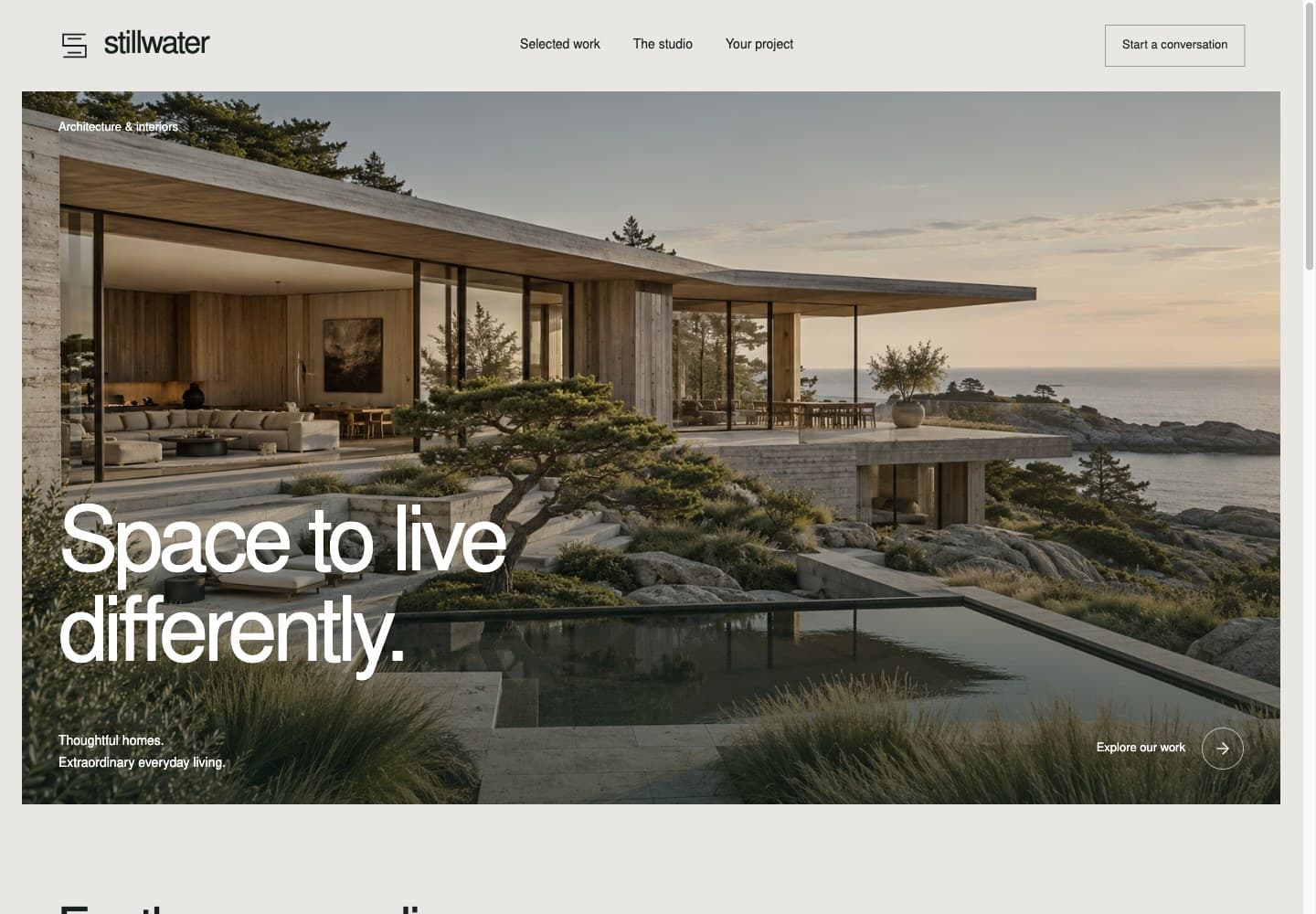
The Stillwater architecture website concept puts project imagery and material notes at the centre of the experience. Its architectural imagery is generated, so it is presented as design exploration. On a real architect's website, that same space should contain their actual projects, accurate descriptions and properly credited photography.
A clear next step
Choose the action that makes sense for the service: call, send an enquiry, request a quote, book a consultation or visit a location. Make the label describe what will happen.
“Tell me about your repair” gives more context than “Submit”. “Request an appointment” is appropriate if you still need to confirm availability; “Book an appointment” should lead to a process that can actually complete the booking.
Keep forms focused on the first conversation. Ask which service someone needs and how to reply before asking them to complete a detailed project questionnaire. Explain what happens after submission and show a useful confirmation or error message. An email link should make clear that it opens their email app.
Test the whole route yourself. Send a test enquiry, check where it arrives and try the phone number on a phone. A button's appearance tells you very little about whether the next step works.
A usable phone and keyboard experience
Check the site on a phone, including the navigation, service descriptions and contact process. Look for text that becomes too small, content cropped sideways and controls hidden under floating banners.
Also move through it with the Tab key. You should be able to see which link or control is focused and use the important actions without a mouse. Forms need visible labels, and meaningful images need suitable text alternatives. These are part of making the site usable; a polished screenshot cannot establish accessibility. W3C's accessibility design guidance explains these foundations in more detail.
Business details people can rely on
Show accurate contact details and opening hours where they affect customers. For a business that visits customers, explain the genuine service area. For premises people visit, give a usable address and directions or a map.
Keep these details consistent across the site. Explain who runs the business and how someone can get help. Include privacy information that reflects the forms, analytics and other services you actually use.
Search basics and a way to evaluate the site
Give important pages clear titles and headings, useful descriptions and links from the rest of the site. Write service information to answer a prospective customer's question. Google's people-first content guidance is a useful reference when deciding whether a page adds something worth reading.
Once the site is available, evaluate the actions that matter to the business. A click on an email link records contact intent; it does not prove that an email was sent. Keep that distinction when interpreting reports, and collect analytics only under the consent arrangements applicable to your site.
Your website review checklist
Use this when reviewing a draft or checking your current site:
- Can a new visitor explain what you offer after reading the opening?
- Can they tell whether you serve their need and location?
- Do your service descriptions explain enough to choose a next step?
- Is each example, review or qualification genuine and accurately labelled?
- Does the main contact action work from start to finish?
- Can someone use the important paths on a phone and with a keyboard?
- Are your business details and privacy information current?
- Can you distinguish visits and contact clicks from actual enquiries?
Write down the gaps before commissioning more pages. That gives you a specific brief and a way to assess whether the finished website does its job.
Work with me on your website
If you have found gaps but are unsure how to fix them, I can help turn the list into a practical website brief. You work directly with me on both design and development. We agree the pages, content responsibilities, scope and price before the build begins.
Discuss your website with RaduSend your current website if you have one, what your business does and the main thing you want to improve. You can explain it in plain English; you do not need to diagnose the technical problem first. The link opens your email app so you can review your message before sending.
For more detail first, see the services and how I work.